

i-Ctrl - WiFi Remote Control
The control box connects to your home router.
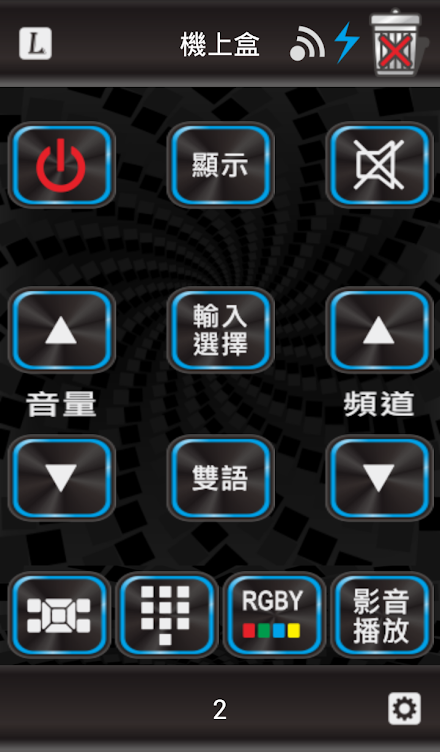
Through this the App lets you control your home electronic devices no matter where you are.Supported devicesBy default i-Ctrl supports TV, Top Box, DVD, AUX/Hi-Fi, Air conditioner and Light.
i-Ctrl has built in remote InfraRed (IR) signals for thousands of these devices.
You can choose from hundreds of brands including Sony, Panasonic, LG or Samsung.Learning remotesi-Ctrl can learn keys from remote controls, this way there is no limit to device support, every device with a remote control can be controlled.Schedule functionWith the schedule function of i-Ctrl you can set a time and date and select what a device should do.
Is it too hot in your home during night?
Just set a schedule for the Air Conditioner to turn on while you sleep!Macro functionUsing the macro function of i-Ctrl you can control multiple devices by pressing only one button.
After arriving home you want to turn on your Light, Air conditioner and TV?
No need to use 3 remote controls, just press one button in the i-Ctrl App!For more details or questions about i-Ctrl please visit our website!
About i-Ctrl - WiFi Remote Control
- Package name (App ID)
- aifa.remotecontrol.tw.wifi.hp
- Available on
- Google Play
- Price
- Free
- Developer
- AIFA TECHNOLOGY CORP.
Looking for the i-Ctrl - WiFi Remote Control APK?
The safest way to get i-Ctrl - WiFi Remote Control (aifa.remotecontrol.tw.wifi.hp) on your Android device is to install it directly from Google Play — you'll always get the latest official version, automatic updates, and no risk of modified or infected APK files from third-party sites.

Social Features
Connect and share with friends and the community.
Learning Tools
Enhance your learning experience with interactive features.
Entertainment
Enjoy your favorite movies and TV shows.
See i-Ctrl - WiFi Remote Control in Action


Frequently Asked Questions
Is i-Ctrl - WiFi Remote Control free?
Yes, i-Ctrl - WiFi Remote Control is free to download and install on Android through Google Play.
How do I install i-Ctrl - WiFi Remote Control on Android?
Open Google Play on your Android phone or tablet, search for i-Ctrl - WiFi Remote Control by AIFA TECHNOLOGY CORP. or tap the Google Play button on this page, then tap Install. The app downloads and installs automatically.
What is aifa.remotecontrol.tw.wifi.hp?
aifa.remotecontrol.tw.wifi.hp is the App ID (package name) of i-Ctrl - WiFi Remote Control on Google Play. Every Android app has a unique package name, and it is the safest way to verify you are installing the official app.
Is i-Ctrl - WiFi Remote Control safe to download?
Installing i-Ctrl - WiFi Remote Control from Google Play is the safest option: you get the official version published by AIFA TECHNOLOGY CORP., verified by Google Play Protect, with automatic updates. Avoid APK files from unofficial third-party sites.

Get i-Ctrl - WiFi Remote Control Today
i-Ctrl - WiFi Remote Control for Android — free download on Google Play.
Compatible with Android phones and tablets — available on Google Play.
Ask AI about this app
Get instant answers about features, tips and more from popular AI assistants.